






Digital Signature Certificate (DSC) India Guide (2026) | Class 3, DGFT & Tokens
1. Introduction
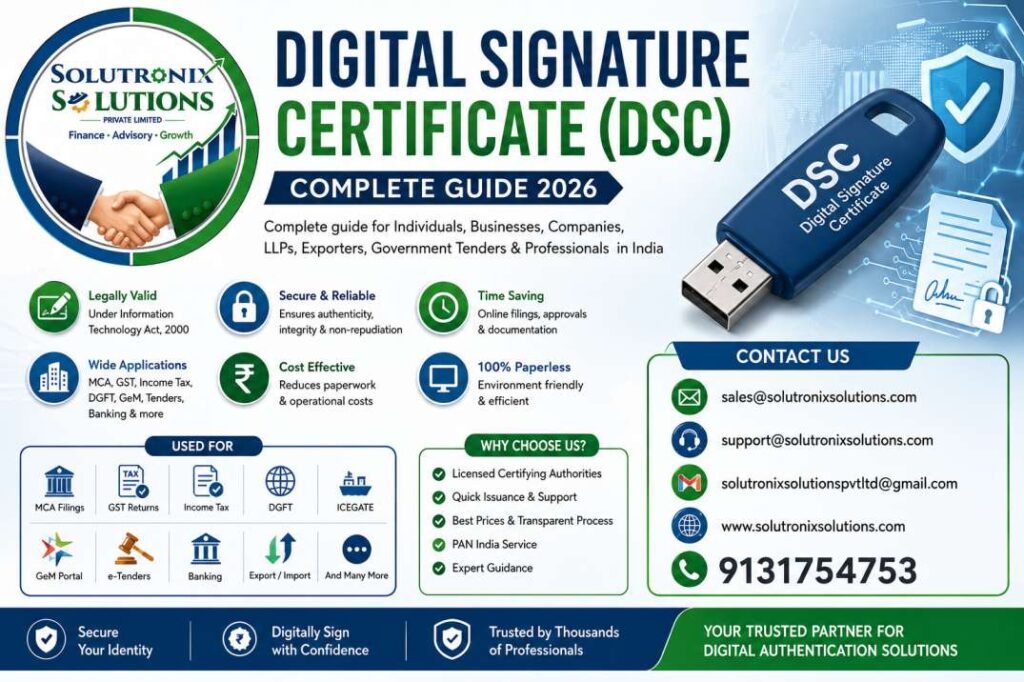
As India accelerates its position as a global digital superpower, paperless governance, electronic commerce, and digital compliance have shifted from optional conveniences to legal requirements. At the core of this secure, paperless environment is the Digital Signature Certificate (DSC).
Whether you are a startup founder incorporating a Private Limited company on the MCA V3 portal, an exporter submitting customs declarations on ICEGATE, a Chartered Accountant auditing annual financial statements, a taxpayer filing Income Tax Returns, or a infrastructure contractor bidding on multi-crore government e-tenders on the GeM portal, a DSC is your legal identity in the digital world.
In 2026, digital authentication standards in India have evolved significantly. The Controller of Certifying Authorities (CCA) under the Ministry of Electronics and Information Technology (MeitY) has implemented strict cryptographic rules. Class 1 and Class 2 certificates have been phased out. Class 3 DSC—supported by Video KYC, Aadhaar-based eKYC, and physical FIPS 140-2 Level 2 hardware tokens—is now the universal standard across all Indian e-governance platforms.
This master guide provides a comprehensive resource covering every technical detail, legal framework, installation step, portal requirement, and troubleshooting method for Digital Signature Certificates in India.
2. What is a Digital Signature Certificate (DSC)?
A Digital Signature Certificate (DSC) is a tamper-proof electronic document issued by a licensed Certifying Authority (CA) under the authority of the Controller of Certifying Authorities (CCA). It serves as the digital equivalent of a physical identity document, such as a Passport, Driver’s License, or PAN card.
+-----------------------------------------------------------------------------------+
|                           DIGITAL SIGNATURE CERTIFICATE                           |
|                                                                                   |
|  Identity Details           Cryptographic Keys           Issuing Authority        |
|  - Full Legal Name          - Public Key (X.509)         - Licensed CA Name       |
|  - PAN / Aadhaar / Email    - Private Key (In Token)     - Digital Stamp of CA    |
|  - Organization Name        - Hash Algorithm (SHA-256)   - Validity Period        |
|                                                                                   |
|                   GOVERNED BY: IT ACT, 2000 & CCA INDIA                           |
+-----------------------------------------------------------------------------------+
Just as a physical signature validates paper documents, a Digital Signature Certificate electronically authenticates your identity, seals digital files against unauthorized modification, and establishes strict legal non-repudiation under Section 2, 3, and 5 of the Information Technology Act, 2000.
Key Data Elements Inside an X.509 Digital Certificate
A standard Class 3 DSC follows the international X.509 structure, containing embedded metadata:
- Subscriber’s Public Key: The public half of the asymmetric key pair used by external systems to verify signatures.
- Subscriber’s Identity Information: Full Legal Name, Email Address, PAN (Permanent Account Number), State, Country, and Organization details (if an Organization DSC).
- Serial Number: A unique alphanumeric string assigned by the issuing CA to track the specific certificate.
- Validity Period: Exact timestamp defining when the certificate becomes active and when it expires (1, 2, or 3 years).
- Digital Signature of the Issuing CA: A cryptographic mark placed by the Certifying Authority’s own Master Key to ensure the certificate itself cannot be forged.
- Certificate Revocation List (CRL) Location: A web link pointing to the repository checked by operating systems to ensure the certificate has not been revoked before expiration.
3. History of Digital Signature Certificates in India
Understanding how India arrived at its current cryptographic infrastructure helps clarify why compliance rules exist today:
+-----------------------------------------------------------------------------------+
|                         CHRONOLOGY OF DSC EVOLUTION IN INDIA                      |
+-----------------------------------------------------------------------------------+
|  2000: Enactment of the IT Act, 2000; Creation of CCA India                       |
|  2002: Licensing of first Certifying Authorities (eMudhra, Sify, nCode)           |
|  2006: Launch of MCA21 Portal making DSC mandatory for company filings           |
|  2014: Shift from software-installed PFX files to mandatory USB Hardware Tokens   |
|  2021: Complete discontinuation of Class 1 & Class 2 DSCs; Class 3 made universal |
|  2023: Introduction of MCA V3 portal with enhanced token association rules       |
|  2026: Nationwide standard: Class 3 Video KYC, FIPS 140-2 Level 2 USB Tokens      |
+-----------------------------------------------------------------------------------+
- The IT Act, 2000: India enacted the Information Technology Act in 2000, establishing the legal framework for electronic signatures and setting up the Office of the Controller of Certifying Authorities (CCA).
- Soft Certificate Era (2000–2013): Initially, DSCs were downloaded as
.pfxor.p12soft files directly onto personal computers. This posed significant cybersecurity risks, as private keys could be copied, emailed, or stolen by malware. - Hardware USB Token Mandate (2014): To prevent key theft, the CCA made it mandatory to store private keys inside secure USB Crypto Tokens built on FIPS-certified smart cards.
- Class 2 Discontinuation (January 1, 2021): Previously, Class 2 DSCs (which relied on basic document verification) were widely used for tax returns and corporate filings. To prevent identity fraud, the CCA discontinued Class 1 and Class 2 certificates. Class 3 DSC—requiring Video KYC identity verification—became the single unified standard for all business and legal uses.
- The Modern Standard (2026): Today, all fresh and renewed DSCs in India are Class 3 certificates issued via paperless Aadhaar/PAN eKYC and live Video Verification. They are delivered on FIPS 140-2 Level 2 physical USB tokens or enterprise Cloud HSM remote signing systems.
4. Importance, Objectives & Necessity of DSC
Why a Digital Signature is Required
In a traditional manual paper workflow, a signatory physically signs a document, which is then stamped, notarized, and physically mailed. This manual process introduces distinct vulnerabilities:
- Documents can be tampered with or pages replaced after signing.
- Hand-written signatures can be forged.
- Transmitting paper documents introduces transit delays and logistics costs.
Digital Signatures eliminate these vulnerabilities using advanced mathematics. When you digitally sign a PDF or filing form using a Class 3 DSC, the underlying software hashes the document content and seals it using your private key.
                 ADVANTAGES OF DIGITAL SIGNATURES OVER MANUAL SIGNATURES
+----------------------------------+--------------------------------------------------+
| PHYSICAL PAPER SIGNATURE         | DIGITAL SIGNATURE CERTIFICATE (DSC)              |
+----------------------------------+--------------------------------------------------+
| Easy to forge or copy            | Cryptographically impossible to forge             |
| Tampering after signing unseen   | Any alteration instantly breaks document seal    |
| Requires physical presence/mail  | Executed instantly online from anywhere          |
| High storage & handling costs    | Zero paper; stored securely in digital archives  |
| Legally weak in distant courts   | Prima facie valid under IT Act, 2000 Section 5   |
+----------------------------------+--------------------------------------------------+
Core Objectives of Digital Signatures
A Digital Signature Certificate fulfills three critical security requirements in electronic transactions:
- Authentication: Proves the identity of the signer. Because a CA issues a Class 3 certificate only after verifying live Video KYC and identity documents, receiving systems know precisely who signed the file.
- Data Integrity: Ensures the contents of the document have not been altered, edited, or corrupted since the moment of signing. If even a single character or space is changed in a signed file, the cryptographic hash verification fails, displaying a red warning flag.
- Non-Repudiation: Prevents signers from denying their action later. Under Indian law, because the subscriber holds sole physical possession of the hardware USB token and its secret PIN, a document signed with their valid DSC is legally presumed to have been executed by them.
5. How Digital Signatures Work: The PKI Architecture
Digital signatures rely on Public Key Infrastructure (PKI) and Asymmetric Key Cryptography. Unlike symmetric encryption (which uses a single password to encrypt and decrypt), PKI uses a mathematically linked pair of asymmetric keys: a Private Key and a Public Key.
                        ASYMMETRIC KEY CRYPTOGRAPHY MODEL

      +-----------------------------------------------------------------+
      |                        MATHEMATICAL PAIR                        |
      |                                                                 |
      |     +-----------------------+       +-----------------------+   |
      |     |      PRIVATE KEY      |  <--  |      PUBLIC KEY       |   |
      |     |  Kept Secret in Token |  -->  |  Published in Certificate |
      |     +-----------------------+       +-----------------------+   |
      +-----------------------------------------------------------------+
                                       |
      +--------------------------------+--------------------------------+
      |                                                                 |
      v                                                                 v
  SIGNING PURPOSE                                               VERIFICATION PURPOSE
  Document Hash + Private Key                                   Document Hash + Public Key
  Generates Encrypted Signature                                 Validates Integrity & Identity
Key Components of PKI
- The Private Key: A unique cryptographic key generated and stored inside the physical security chip of your USB token. It cannot be exported or copied from the device. This key is used exclusively to create digital signatures or decrypt confidential messages.
- The Public Key: The public half of the key pair embedded within your public Digital Signature Certificate. It is freely accessible to anyone, any portal, or any recipient who needs to verify your signature or encrypt data intended for you.
- Hashing Algorithm (SHA-256): Before signing, the signing software passes the document through a cryptographic hash function (such as SHA-256) to produce a fixed-length string called a Message Digest (a digital fingerprint of the document).
- Encryption and Sealing: The software encrypts the Message Digest using the subscriber’s Private Key. This encrypted digest, along with the subscriber’s Public Key certificate, is attached to the document as the final Digital Signature.
Step-by-Step Signing & Verification Workflow
[DOCUMENT TO SIGN] ---> (SHA-256 Hash Engine) ---> [DOCUMENT DIGEST]
                                                           |
                                                           v
[PRIVATE KEY IN TOKEN] + [TOKEN PIN] -------------> (RSA/ECC Encryption)
                                                           |
                                                           v
                                                [DIGITALLY SIGNED FILE]
[RECEIVED SIGNED FILE] ---------------------------> (Extract Signature & Public Key)
                                                           |
                                                           v
(Decrypt Signature using Public Key) -------------> [ORIGINAL DIGEST A]
(Re-hash Document Content using SHA-256) ---------> [GENERATED DIGEST B]
                                                           |
                                                           v
[COMPARE DIGEST A & DIGEST B] ---> MATCH? ----> YES = VALID & UNTAMPERED
                                          ----> NO  = DOCUMENT TAMPERED!
6. Types & Classes of Digital Signature Certificates
Navigating the various types of DSCs is straightforward once you understand their administrative classifications, intended users, and functional capabilities.
+-----------------------------------------------------------------------------------+
|                        CLASSES & TYPES OF DSC IN INDIA (2026)                     |
+-----------------------------------------------------------------------------------+
|  ACTIVE STANDARD:                                                                 |
|  • Class 3 DSC (Sole legal class available for Individuals & Organizations)       |
|                                                                                   |
|  FUNCTIONAL TYPES:                                                                |
|  1. Signing Certificate (Authenticates filings, PDFs, & portal submissions)       |
|  2. Encryption Certificate (Encrypts tender bids & sensitive transmission data)   |
|  3. Combo Certificate (Contains both Signing & Encryption in 1 Token)             |
|  4. DGFT DSC (Specialized organizational certificate for Exporters/Importers)      |
|  5. Document Signer Certificate (Automated high-volume bulk invoice signing)     |
|                                                                                   |
|  HISTORICAL (DISCONTINUED):                                                       |
|  • Class 1 DSC (Phased out)                                                       |
|  • Class 2 DSC (Permanently discontinued on Jan 1, 2021)                          |
+-----------------------------------------------------------------------------------+
Historical Classes (Now Discontinued)
- Class 1 DSC (Discontinued): Used solely to verify that an email address matched a user entry in a database. It provided no legal verification of personal identity and was phased out years ago.
- Class 2 DSC (Discontinued Jan 1, 2021): Previously used for income tax filings, GST returns, and corporate ROC filings. Identity verification was based on database matches of PAN or paper copy submissions. The CCA permanently discontinued Class 2 certificates on January 1, 2021. Existing Class 2 certificates remained valid until their expiration date, after which all users were required to upgrade to Class 3.
Active Standard: Class 3 DSC
Class 3 is currently the highest security class and the only legal standard for individual and organizational digital signatures in India.
To obtain a Class 3 DSC, an applicant must complete live Video KYC Verification. During this step, the applicant holds their original ID documents in front of a camera and states a dynamic verification code sent to their mobile device.
Functional Categories of DSC
When applying for a Class 3 DSC, you must choose the appropriate functional type based on your business requirements:
- Individual DSC: Issued in a person’s individual name based on their personal PAN and Aadhaar/Passport. It is used for personal tax filings, company directorship signatures (DIN), and individual business filings.
- Organization DSC: Issued to an authorized individual representative of an organization. The certificate displays both the applicant’s name and the company, firm, or institutional entity’s name. It requires corporate proof documents (such as a Certificate of Incorporation, Board Resolution, and Partnership Deed).
- Signing DSC: Designed exclusively for placing legal electronic signatures on PDFs, MCA forms, GST returns, tax forms, and contractual agreements.
- Encryption DSC: Designed exclusively to encrypt data files before transmission over public networks. It is primarily used on e-procurement and government tender portals to lock financial bids so that no bidder or government official can view them before the designated tender opening time.
- Sign & Encrypt (Combo) DSC: Contains both a Signing Certificate and an Encryption Certificate stored together on a single physical USB token. This is the mandatory requirement for participating in government e-tenders (GeM, CPP Portal, Railways, Defence).
- DGFT DSC: A specialized organizational Class 3 certificate configured specifically for exporters and importers navigating the Directorate General of Foreign Trade (DGFT) web portal. It embeds the business entity’s Import Export Code (IEC) within the certificate structure.
- Document Signer Certificate: An automated organizational certificate issued to servers rather than individual employees. It enables automated bulk signing of thousands of system-generated e-invoices, utility bills, insurance policies, or account statements per hour without manual token insertion or PIN prompts.
- Foreign National DSC: Issued to non-Indian citizens who serve as directors, partners, or authorized representatives in Indian companies or LLPs. Verification relies on an apostilled or embassy-attested passport and proof of residence.
7. In-Depth Feature Comparison Tables
Comparison 1: Active vs. Historical DSC Classes
Note: As of 2026, Class 1 and Class 2 certificates are discontinued.
| Feature / Attribute | Class 1 DSC | Class 2 DSC | Class 3 DSC (2026 Standard) |
| Status in 2026 | Discontinued | Discontinued (Merged into Class 3) | Active Nationwide Standard |
| Verification Level | Email ID match only | Database/Paper verification | Mandatory Video KYC + eKYC |
| Security Assurance | Low | Medium | High Cryptographic Security |
| Storage Device | Software (.pfx file) | USB Token / Software | FIPS 140-2 Level 2 USB Token |
| MCA & ROC Filings | Rejected | Discontinued | Mandatory Accepted Standard |
| e-Tenders & GeM | Rejected | Rejected | Mandatory Accepted Standard |
Comparison 2: Individual DSC vs. Organization DSC
| Parameter | Individual Class 3 DSC | Organization Class 3 DSC |
| Target Applicant | Single Person / Director / Taxpayer | Employee / Authorized Signatory of Entity |
| Name on Certificate | Individual’s Full Name Only | Individual’s Name + Company/Firm Name |
| Primary Identity Proof | Applicant PAN & Aadhaar/Passport | Applicant ID + Company PAN & Registration |
| Corporate Authorization | Not Required | Board Resolution / Authorization Letter |
| Primary Applications | Income Tax, Personal GST, DIR-3 KYC, SPICe+ | Corporate E-Tenders, Customs (ICEGATE), Big Procurement |
| Transferability | Tied exclusively to the person | Tied to the person’s role in that specific company |
Comparison 3: Signing DSC vs. Encryption DSC vs. Combo DSC
| Capability / Attribute | Signing DSC | Encryption DSC | Sign & Encrypt (Combo) DSC |
| Primary Function | Authenticates signature and seals PDFs | Encrypts document data for confidential transmission | Performs both signing and encryption functions |
| Key Function | Uses Private Key to sign | Uses Public Key to encrypt | Contains both distinct key pairs |
| e-Tendering Bidding | Solitary Bidding (Partial) | Bidding Encryption (Partial) | Mandatory Complete Requirement |
| PDF Signatures | Yes (Fully Supported) | No | Yes (Fully Supported) |
| MCA / GST Filings | Yes (Sufficient) | Not Applicable | Yes (Fully Supported) |
Comparison 4: Normal Class 3 DSC vs. DGFT DSC
| Technical Parameter | Normal Class 3 Organization DSC | DGFT Class 3 Organization DSC |
| Target Sector | Domestic Indian Businesses, MCA, GST, Tenders | Exporters, Importers, Customs Brokers |
| Embedded Identifier | Company PAN & Name | Company PAN + Import Export Code (IEC) |
| Portal Compatibility | MCA, Income Tax, GST, GeM, CPP Portal | DGFT Portal, ICEGATE, Foreign Trade Licensing |
| Required Proof | Company Registration Documents | Business Registration + Copy of IEC Allotment |
Comparison 5: Physical USB Token vs. Cloud-Based DSC
| Operational Metric | Physical Hardware USB Token | Cloud DSC (Remote HSM Signing) |
| Private Key Location | Stored inside FIPS hardware USB chip | Stored in central Cloud Hardware Security Module |
| Physical Hardware | Required (USB Token) | No physical USB required |
| Portability | Requires carrying the physical USB token | Accessible anywhere via internet & OTP/App |
| Portal Acceptance | 100% Accepted across all Indian portals | Growing acceptance; limited on legacy portals |
| Driver Installation | Requires USB token driver software | Driverless API or Browser Extension |
8. Who Needs a DSC? Industry & Entity Breakdown
A Digital Signature Certificate is mandatory across nearly every sector of the Indian economy:
+-----------------------------------------------------------------------------------+
|                            WHO REQUIRES A CLASS 3 DSC?                            |
+-----------------------------------------------------------------------------------+
|  CORPORATE ENTITIES:                                                              |
|  - Company Directors (DIN / DIR-3 KYC)   - Private & Public Limited Companies     |
|  - Designated Partners of LLPs           - One Person Companies (OPC)             |
|                                                                                   |
|  PROFESSIONALS:                                                                   |
|  - Chartered Accountants (CAs)           - Company Secretaries (CSs)              |
|  - Cost Accountants (CMAs)               - Advocates, Doctors, Architects         |
|  - Tax Practitioners                     - Valuers & Insolvency Professionals     |
|                                                                                   |
|  BUSINESSES & TRADERS:                                                            |
|  - Government Tender Contractors          - Exporters & Importers (IEC / ICEGATE)   |
|  - MSMEs & Startups                      - E-commerce Sellers & GST Payers        |
+-----------------------------------------------------------------------------------+
- Company Directors & Designated Partners: Required to sign incorporation forms (SPICe+), annual returns (MGT-7, AOC-4), LLP Form 11, Form 8, and annual DIR-3 KYC director verifications.
- Chartered Accountants & Company Secretaries: CAs require a DSC to upload statutory audit reports, tax audit reports (Form 3CA/3CB/3CD), transfer pricing filings (Form 3CEB), and financial attestations. CSs use DSCs to certify corporate secretarial filings on the MCA V3 portal.
- Exporters and Importers: Required to execute digital clearance on the DGFT portal, upload shipping bills and bill of entry documents on ICEGATE, and sign electronic manifests on eSANCHIT.
- Government Contractors & Vendors: Required to register on the Government e-Marketplace (GeM), Central Public Procurement Portal (CPPP), Railway E-Procurement System (IREPS), and state-level e-tender engines to submit secure technical and financial bids.
- Taxpayers (Corporate & High Net Worth Individuals): Mandatory for companies, firms, and tax-audit-covered individuals when filing tax returns on the Income Tax and GST portals.
- Trademarks & IP Attorneys: Required to file trademark applications, patent specifications, copyright registrations, and response counter-statements on the CGPDTM portal.
9. Comprehensive Portal-Wise Use Cases in India
Different government web platforms in India rely on specific DSC configurations and registration workflows:
1. MCA V3 Portal (Ministry of Corporate Affairs)
- Primary Applications: Company Incorporation (SPICe+ Part A & B), AGILE-PRO-S, Form 3 for LLPs, DIR-3 KYC, Annual Financials (AOC-4), Annual Return (MGT-7), Charge Creation (CHG-1).
- Technical Requirement: Individual Class 3 Signing DSC.
- Integration Rule: The DSC must be registered and “associated” with the user’s registered account on the MCA V3 portal against their DIN, PAN, or Professional Membership Number.
2. Income Tax e-Filing Portal
- Primary Applications: Filing ITR-1 through ITR-7, responding to assessment notices, submitting Tax Audit Reports (3CA/3CB/3CD), registering trust exemptions (10A/10AB), and verifying refund requests.
- Technical Requirement: Individual Class 3 Signing DSC registered against the taxpayer’s PAN.
- Integration Tool: Uses the emsigner web utility to link the hardware token inserted in your browser to the web portal.
3. GST Portal (Goods & Services Tax)
- Primary Applications: New GST Registration, Return Filings (GSTR-1, GSTR-3B, GSTR-9 Annual Return), Letter of Undertaking (LUT) for exports, and filing administrative appeals.
- Technical Requirement: Class 3 Signing DSC (Individual or Organization).
- Mandatory Rule: Mandatory for Companies, LLPs, and Foreign Entities. Option of Aadhaar OTP verification remains available for Sole Proprietorships and Partnerships.
4. DGFT Portal (Directorate General of Foreign Trade)
- Primary Applications: Applying for a new Import Export Code (IEC), IEC annual modifications, applying for Advance Authorization, EPCG Scheme benefits, and claiming export incentives.
- Technical Requirement: Class 3 DGFT DSC containing both PAN and IEC.
5. ICEGATE & eSANCHIT (Indian Customs)
- Primary Applications: Uploading digital supporting documents via eSANCHIT, signing Bill of Entry, Shipping Bills, and customs duty deferred payment setups.
- Technical Requirement: Class 3 Organization Signing DSC linked to the organization’s customs registration profile.
6. GeM & Central Public Procurement Portal (e-Tenders)
- Primary Applications: Vendor registration, downloading tender documents, uploading technical specifications, and submitting locked financial price bids.
- Technical Requirement: Class 3 Sign & Encrypt (Combo) Organization DSC.
10. Advantages, Disadvantages, and Legal Validity
Key Advantages
- Legal Non-Repudiation: Documents signed with a valid Class 3 DSC carry legal weight under Section 5 of the IT Act, 2000. A court presumes the signature is authentic unless proven otherwise.
- Complete Document Integrity: Cryptographic hashing prevents undetected document modification.
- Time & Cost Savings: Eliminates paper printing, physical courier delays, and manual filing queues.
- Enhanced Environmental Sustainability: Reduces paper consumption across corporate, tax, and government administration.
Disadvantages & Technical Considerations
- Hardware Dependence: Requires carrying a physical USB token and maintaining compatible software drivers on your computer.
- Fixed Expiry & Renewal Overhead: Certificates expire after 1, 2, or 3 years, requiring identity re-verification and renewal fees.
- System & Browser Dependencies: Java settings, PKI driver conflicts, or browser extension updates can sometimes disrupt token detection during urgent filing deadlines.
11. Certifying Authorities (CAs) in India & Provider Analysis
The Controller of Certifying Authorities (CCA) grants licenses to operational Certifying Authorities (CAs) in India. All licensed CAs operate under the National Root Authority (Root CA of India) and follow identical cryptographic standards. A Class 3 certificate issued by any licensed CA is equally valid across all Indian government portals.
                             NATIONAL PKI TRUST ARCHITECTURE

                     +-----------------------------------------------+
                     |          ROOT CA OF INDIA (CCA)               |
                     |  National Repository & Regulatory Authority   |
                     +-----------------------------------------------+
                                             |
                   +-------------------------+-------------------------+
                   |                                                   |
        +-----------------------+                           +-----------------------+
        |  COMMERCIAL LICENSED  |                           |  GOVERNMENT / AGENCY  |
        |  CERTIFYING AUTHORITIES|                          |  CERTIFYING AUTHORITIES|
        +-----------------------+                           +-----------------------+
        | - eMudhra             |                           | - C-DAC               |
        | - Capricorn Identity  |                           | - IDRBT               |
        | - VSign (Verasys)     |                           | - National Informatics|
        | - SignX               |                           |   Centre (NIC)        |
        | - Pantasign           |                           | - Defence / Forces    |
        | - ProDigiSign         |                           +-----------------------+
        | - Protean eGov        |
        +-----------------------+
Leading Commercial Certifying Authorities (2026)
- eMudhra: One of the largest CAs in India. Offers widespread portal integration, seamless video KYC platforms, and robust remote signing infrastructure.
- Capricorn Identity Services: Widely used by CAs, CSs, and corporate professionals. Known for rapid eKYC processing and paperless partner portal integration.
- VSign (Verasys Technologies): Known for reliable issuance systems, direct API developer support, and hardware token distribution networks.
- SignX: Offers streamlined paperless issuance for individuals and organizations.
- Pantasign & ProDigiSign: Fast-growing CAs serving regional business networks and professional tax practitioners.
- Protean eGov (formerly NSDL e-Gov): Operates widespread trust infrastructure supporting institutional e-governance systems.
12. Hardware Crypto Tokens: Technology & Drivers
Under CCA guidelines, private keys for Class 3 certificates must never exist as plain software files on a general hard drive. Instead, they must be generated and permanently locked inside a secure USB hardware token certified to FIPS 140-2 Level 2 (or updated FIPS 140-3) security standards.
                           INSIDE A HARDWARE CRYPTO TOKEN
+-----------------------------------------------------------------------------------+
|  USB PLUG  |  SMARTCARD SECURITY CHIP (FIPS 140-2 Level 2 / FIPS 140-3)          |
|            |                                                                      |
|   [ ==== ] |  [ Isolated On-Chip Cryptographic Processor ]                        |
|            |  - Private Key Engine (Key cannot be read or exported)               |
|            |  - PIN Protection Mechanism (Locks device after 5 incorrect tries)   |
|            |  - On-Board SHA-256 Hashing & RSA/ECC Encryption Accelerator         |
+-----------------------------------------------------------------------------------+
How the Crypto Token Safeguards Your Key
- Non-Exportable Private Keys: The private key is generated directly inside the token’s internal security chip during download. It cannot be copied or exported from the device.
- On-Chip Cryptographic Execution: When you sign a document, the document hash is sent into the USB token via the driver software. The internal chip encrypts the hash using the stored private key and returns the completed digital signature to the computer. The private key never leaves the token.
- Hardware PIN Protection: Access to the signing engine requires entering a secret user PIN. Entering an incorrect PIN multiple times (typically 5 to 10 attempts depending on the brand) permanently locks the token chip to prevent brute-force attacks.
Leading USB Token Brands in India
- ePass2003 Auto / HYP2003: Widely used USB token models in India. Feature automatic driver installation upon insertion (
Auto-run) and cross-platform compatibility across Windows, macOS, and Linux systems. - Watchdata ProxKey: Features a durable metal casing and customized driver administration tools.
- mToken CryptoID: Features smart-card security chips compatible with global PKI frameworks.
13. Step-by-Step Installation & Browser Configuration Guide
Follow these configuration steps to set up your USB token and browser environment for error-free digital signing:
Step 1: Install Token Driver Software
- Insert your USB token (ePass2003, HYP2003, or ProxKey) into a USB port on your computer.
- Open File Explorer (Windows Key + E) and navigate to This PC.
- Locate the Virtual CD-Drive created by the token (e.g.,
ePass2003orHYP2003). - Double-click
setup.exeorAutorun.exeto launch the driver installation wizard. - Select Private CSP (standard setting) and complete the installation.
- Once installed, launch the Token Management Utility software from your desktop to confirm the token is detected and view your certificate details.
Step 2: Configure Web Browsers (Chrome / Edge / Firefox)
- Google Chrome & Microsoft Edge: Modern versions automatically read system certificates registered in the Windows Certificate Store (
certmgr.msc). Ensure browser pop-up blockers are disabled for government filing portals. - Mozilla Firefox: Requires manual PKI module configuration:
- Open Firefox Settings > Privacy & Security.
- Scroll down to Certificates and click Security Devices.
- Click Load and browse to your token driver’s PKCS#11
.dllfile (e.g.,eps2003csp11.dlllocated inC:\Windows\System32\).
Step 3: Configure Portal Signer Utilities (emsigner / NICDS)
Most Indian portals (such as Income Tax, GST, and MCA V3) use local desktop service utilities to connect the browser to your USB token:
- Download the portal-specific signer tool (e.g., emsigner for Income Tax/GST or MCA V3 Web Socket Signer).
- Install the utility as an Administrator.
- Ensure the service is running in your taskbar background before initiating a digital signature on the web portal.
14. Troubleshooting Common Errors & Technical Glitches
+-----------------------------------------------------------------------------------+
|                        DSC TROUBLESHOOTING DECISION TREE                          |
+-----------------------------------------------------------------------------------+
|  ERROR: "Token Not Detected"                                                      |
|  --> Action: Re-install USB Token Drivers; test alternate USB port; check PIN     |
|                                                                                   |
|  ERROR: "Certificate Not Found in Store"                                          |
|  --> Action: Open Token Manager; register certificate in Windows Certificate Store|
|                                                                                   |
|  ERROR: "Failed to establish connection with emsigner"                            |
|  --> Action: Restart emsigner as Administrator; verify port 8080/8443 in firewall |
|                                                                                   |
|  ERROR: "DSC Not Associated on MCA V3"                                            |
|  --> Action: Log into MCA V3 profile; update DIN/PAN details; clear browser cache |
+-----------------------------------------------------------------------------------+
1. “Token Not Detected” or “Plug in Crypto Token”
- Cause: The computer operating system has not loaded the USB driver or the USB port is unpowered.
- Solution: Unplug the token, open Device Manager, uninstall duplicate USB drivers, restart your PC, and re-insert the token into a primary rear USB port.
2. “Failed to establish connection with emsigner utility”
- Cause: The background emsigner service is stopped, blocked by a firewall, or experiencing a port conflict.
- Solution: Open Windows Services (
services.msc), locate emsigner Service, right-click and select Restart. Ensure your antivirus is not blocking local port communications on127.0.0.1.
3. “Certificate Expired” or “Invalid Certificate”
- Cause: The certificate’s statutory validity period has passed.
- Solution: Expired certificates cannot be extended or reactivated. You must submit a fresh Class 3 DSC application (including Video KYC) to receive a updated certificate.
4. “Token Blocked” / “PIN Locked”
- Cause: The user entered an incorrect token PIN 5 to 10 consecutive times.
- Solution: The token must be unblocked using the Master Admin PIN via the Token Management Utility or initialized (which erases the token contents, requiring a fresh download).
15. Lifecycle Management: Renewal, Revocation & Downloads
DSC Renewal Process
Because security standards and user details evolve, certificates must be renewed periodically (every 1, 2, or 3 years):
- Apply for renewal online through a licensed CA prior to your certificate’s expiration date.
- Complete the updated identity verification process, including fresh Video KYC.
- Once approved, the new certificate can be downloaded onto your existing reusable hardware USB token (provided the token firmware meets current FIPS standards).
- Important: After downloading a renewed certificate, you must re-associate and re-register the updated DSC across all relevant government portals (MCA, Income Tax, GST, ICEGATE).
DSC Revocation Process
If your physical USB token is lost, stolen, compromised, or if an authorized employee leaves your organization, you must immediately revoke the certificate:
- Log into your issuing CA’s revocation portal or submit a formal Revocation Request Form signed by an authorized signatory.
- The CA will immediately add the certificate’s unique serial number to the official Certificate Revocation List (CRL).
- Once listed on the CRL, all public portals and PDF software will reject signatures generated by that certificate.
16. Cyber Security Best Practices & Token Hygiene
Your Class 3 Digital Signature Certificate carries legal signing authority. Protecting your hardware token against unauthorized access is a vital cybersecurity practice:
+-----------------------------------------------------------------------------------+
|                         CYBER SECURITY DO'S AND DON'TS                            |
+-----------------------------------------------------------------------------------+
|  DO'S:                                                                            |
|  - Change the default factory PIN (e.g., 12345678) immediately upon setup         |
|  - Unplug the USB token from your PC as soon as signing is complete               |
|  - Keep the physical token locked in a secure drawer or safe                      |
|  - Store your admin PIN separately from the physical device                       |
|                                                                                   |
|  DON'TS:                                                                          |
|  - NEVER leave the USB token plugged into an unattended computer                  |
|  - NEVER share your secret token PIN over email, phone, or chat applications      |
|  - NEVER hand your token to unauthorized staff or external third parties           |
|  - NEVER attempt to modify or format token system files manually                  |
+-----------------------------------------------------------------------------------+
17. Latest 2026 Regulatory & Compliance Updates
Staying informed about recent regulatory updates helps ensure your filings remain fully compliant:
- 1. Universal Class 3 Standard: Class 3 certificates issued via live Video KYC remain the sole active legal standard across India. All legacy Class 2 certificates have expired and are no longer accepted on any government portal.
- 2. Mandatory Section 194T TDS Compliance: Under Section 194T of the Income Tax Act, partnership firms and LLPs paying remuneration, interest, or bonuses exceeding ₹20,000 annually to partners must deduct 10% TDS. Statutory quarterly TDS returns covering these payments must be digitally signed using a Class 3 DSC.
- 3. MCA V3 Association Rules: The MCA V3 portal enforces strict profile mapping. A director’s or professional’s Class 3 DSC must match their registered PAN and DIN profiles exactly before SPICe+, Form 3, or annual financial forms (AOC-4/MGT-7) can be submitted.
- 4. Migration Toward FIPS 140-3 Hardware Token Standards: The CCA is guiding certifying authorities and hardware manufacturers toward adopting FIPS 140-3 cryptographic module standards, updating physical token hardware to support higher resistance against advanced cyber threats.
18. Step-by-Step Process Flowcharts
Flowchart 1: How to Apply for a Class 3 DSC Online
+------------------------------------------------------------------+
| STEP 1: Select Licensed CA Platform (eMudhra, Capricorn, VSign) |
+------------------------------------------------------------------+
                                  |
                                  v
+------------------------------------------------------------------+
| STEP 2: Choose Application Category                              |
|         (Individual / Organization / DGFT)                       |
+------------------------------------------------------------------+
                                  |
                                  v
+------------------------------------------------------------------+
| STEP 3: Complete Aadhaar / PAN eKYC Verification                |
+------------------------------------------------------------------+
                                  |
                                  v
+------------------------------------------------------------------+
| STEP 4: Complete Live Video KYC Verification                     |
|         (Read dynamic code & present original ID documents)      |
+------------------------------------------------------------------+
                                  |
                                  v
+------------------------------------------------------------------+
| STEP 5: CA Verification & Approval                               |
+------------------------------------------------------------------+
                                  |
                                  v
+------------------------------------------------------------------+
| STEP 6: Download Certificate onto FIPS Crypto USB Token          |
+------------------------------------------------------------------+
Flowchart 2: How to Register/Associate DSC on MCA V3 Portal
+------------------------------------------------------------------+
| STEP 1: Log into MCA V3 Portal with Registered User Profile      |
+------------------------------------------------------------------+
                                  |
                                  v
+------------------------------------------------------------------+
| STEP 2: Navigate to Profile Update > "Associate DSC"             |
+------------------------------------------------------------------+
                                  |
                                  v
+------------------------------------------------------------------+
| STEP 3: Connect USB Token & Ensure Web Socket Signer is Running  |
+------------------------------------------------------------------+
                                  |
                                  v
+------------------------------------------------------------------+
| STEP 4: Select Installed Certificate & Enter Token PIN           |
+------------------------------------------------------------------+
                                  |
                                  v
+------------------------------------------------------------------+
| STEP 5: Portal Validates Certificate against Registered DIN/PAN  |
+------------------------------------------------------------------+
                                  |
                                  v
+------------------------------------------------------------------+
| STEP 6: Association Confirmed! Ready to Sign Forms               |
+------------------------------------------------------------------+
19. Operational Checklists for Businesses & Professionals
1. Pre-Application Checklist (Individual Class 3 DSC)
- [ ] Original PAN Card (details matching application exactly).
- [ ] Aadhaar Card linked with active mobile number for OTP eKYC.
- [ ] Working computer webcam and microphone for Video KYC recording.
- [ ] Valid personal email address and mobile number.
- [ ] Compatible FIPS 140-2 Level 2 USB Token (ePass2003 / HYP2003 / ProxKey).
2. Corporate Tender Bidding Checklist (Combo DSC)
- [ ] Class 3 Organization Sign & Encrypt (Combo) DSC issued to authorized bidder.
- [ ] Official Board Resolution authorizing the employee to submit bids.
- [ ] Token drivers installed and tested on bidding system.
- [ ] Java Runtime Environment (JRE) updated and portal URLs added to Java Exception Site List.
- [ ] Test-encrypted bid file submitted prior to tender closing deadline.
20. Real-World Case Studies & Industry Examples
Case Study 1: Startup Incorporation Failure Avoided on MCA V3
- Context: A fintech startup in Bengaluru attempted to submit incorporation documents (SPICe+ Part B) on the MCA V3 portal. The submission was repeatedly rejected with the error “DSC Signature Mismatch.”
- Root Cause Analysis: One director was using an old Class 2 DSC issued under a variant of their legal name that did not match their Income Tax PAN record.
- Resolution: The director applied for an updated Class 3 Individual DSC via paperless Video KYC using their exact PAN name. After registering the new certificate on the MCA V3 portal, the incorporation forms were successfully uploaded and approved within 24 hours.
Case Study 2: Preventing Tender Disqualification on GeM
- Context: An infrastructure contractor submitted a ₹12-Crore government tender bid on the Central Public Procurement Portal (CPPP). The bid was rejected during technical opening.
- Root Cause Analysis: The contractor used a standard Signing-Only Class 3 DSC instead of the mandatory Sign & Encrypt (Combo) certificate. Consequently, the financial bid was not cryptographically sealed, violating procurement guidelines.
- Resolution: The contractor acquired a Class 3 Combo Organization DSC. With both Signing and Encryption certificates loaded on a single HYP2003 token, subsequent tender submissions were successfully encrypted, verified, and accepted.
21. 100 Frequently Asked Questions (FAQs)
Q1: What is a Digital Signature Certificate (DSC)?
A DSC is an electronic credential issued by a licensed Certifying Authority (CA) that authenticates your identity digitally and seals electronic files against alteration using PKI encryption.
Q2: Is a Digital Signature Certificate legally recognized in India?
Yes. Digital signatures generated using a CCA-licensed DSC are legally recognized under Sections 3, 5, and 15 of the Information Technology Act, 2000.
Q3: Can I still apply for or use a Class 2 DSC in 2026?
No. The CCA permanently discontinued Class 2 DSCs on January 1, 2021. Class 3 is the sole legal standard currently issued in India.
Q4: Why was Class 2 DSC discontinued?
Class 2 was phased out because its database-only verification methods were susceptible to identity fraud. Class 3 requires live Video KYC, providing significantly higher security.
Q5: What is Video KYC in DSC issuance?
Video KYC is a mandatory identity verification step where the applicant records a short live video stating their name and a dynamic verification code while presenting their original PAN/Aadhaar cards to the camera.
Q6: How long does it take to obtain a Class 3 DSC?
With paperless Aadhaar/PAN eKYC and live Video KYC, a Class 3 DSC can be processed and approved online within 15 to 30 minutes.
Q7: What is the standard validity period of a DSC in India?
Certifying Authorities offer DSC validity options of 1 year, 2 years, or 3 years.
Q8: Can a DSC be issued for 5 or 10 years?
No. Under CCA regulations, the maximum continuous validity period for a subscriber certificate is 3 years.
Q9: What happens when my DSC expires?
An expired DSC cannot generate valid electronic signatures. You must complete a fresh application process (including Video KYC) to receive an updated certificate.
Q10: What is a Hardware USB Crypto Token?
A USB Crypto Token is a physical hardware device (certified to FIPS 140-2 Level 2 standards) that securely stores your cryptographic private key.
Q11: Can I download my DSC directly onto my computer hard drive or phone?
No. CCA regulations mandate that private keys for subscriber certificates must be generated and stored inside an approved hardware USB token.
Q12: What is the difference between a Signing DSC and an Encryption DSC?
A Signing DSC verifies signature authenticity and seals document contents. An Encryption DSC encrypts confidential files (such as tender bids) so that only the designated recipient can decrypt them.
Q13: What is a Combo DSC?
A Combo DSC contains both a Signing Certificate and an Encryption Certificate stored together on a single physical USB token.
Q14: Which DSC is required for government e-tenders (GeM / CPPP)?
Government e-procurement portals require a Class 3 Sign & Encrypt (Combo) Organization DSC.
Q15: Which DSC is required for Income Tax Return (ITR) filing?
Individual taxpayers and company directors require an Individual Class 3 Signing DSC.
Q16: Which DSC is required for MCA V3 company filings?
Company directors, designated partners, CAs, and CSs require an Individual Class 3 Signing DSC.
Q17: Which DSC is required for DGFT export/import applications?
Exporters and importers require a Class 3 DGFT DSC containing both their PAN and Import Export Code (IEC).
Q18: What is an Organization DSC?
An Organization DSC is issued to an authorized employee or representative of a company, firm, or trust. It displays both the individual’s name and the organization’s legal name.
Q19: What documents are required for an Individual Class 3 DSC?
Individual applicants need a PAN card, Aadhaar card (or Passport/Voter ID), valid mobile number, email address, and completion of Video KYC.
Q20: What documents are required for an Organization Class 3 DSC?
Organization applications require the applicant’s PAN/Aadhaar, Organization PAN, Certificate of Incorporation/GST certificate, Board Resolution, and Video KYC.
Q21: Can a foreign national obtain an Indian Digital Signature Certificate?
Yes. Foreign nationals can obtain a Foreign Class 3 DSC by submitting an apostilled or embassy-attested passport and proof of residence, followed by Video KYC.
Q22: What is a Document Signer Certificate?
A Document Signer Certificate is an automated organizational certificate installed on servers to sign high-volume e-invoices or bills automatically without manual token insertion.
Q23: Who is the Controller of Certifying Authorities (CCA)?
The CCA is the government regulatory authority under MeitY that licenses and oversees all Certifying Authorities in India.
Q24: What is a Certifying Authority (CA)?
A CA is an organization licensed by the CCA to verify subscriber identities and issue Digital Signature Certificates.
Q25: Are DSCs issued by eMudhra, Capricorn, or VSign equally valid?
Yes. All CCA-licensed Certifying Authorities follow identical statutory standards. Certificates issued by any licensed CA are equally valid across all Indian government portals.
Q26: What is a Public Key Infrastructure (PKI)?
PKI is the mathematical architecture of hardware, software, security policies, and cryptographic key pairs that secures electronic transactions.
Q27: What is a Private Key?
A Private Key is a secret cryptographic key stored inside your USB token used to generate digital signatures or decrypt incoming data.
Q28: What is a Public Key?
A Public Key is the public half of your key pair embedded in your public certificate, used by external systems to verify your signatures.
Q29: Can someone copy my Private Key from my USB token?
No. FIPS 140-2 Level 2 cryptographic hardware tokens prevent private keys from being copied or exported.
Q30: What is a token PIN?
A token PIN is a secret password required to unlock your USB token chip prior to generating a digital signature.
Q31: What should I do if I forget my token PIN?
If you enter an incorrect PIN multiple times, the token will lock. You must use the Token Utility software to unblock it using the Master Admin PIN, or re-initialize the device.
Q32: What happens if I lose my physical USB token?
You must contact your issuing CA immediately to revoke the certificate, preventing unauthorized usage, and then apply for a fresh DSC and replacement token.
Q33: How do I install USB token drivers on Windows?
Insert the token into your USB port, open This PC, locate the virtual CD drive created by the token, and run setup.exe as Administrator.
Q34: Do I need separate drivers for ePass2003 and HYP2003 tokens?
Yes. Each token brand requires its specific software driver installed on your computer to enable signature functions.
Q35: How do I sign a PDF document using my DSC?
Open the PDF in Adobe Acrobat Reader, navigate to Tools > Certificates > Digitally Sign, draw a signature box, select your token certificate, enter your PIN, and save the signed document.
Q36: Why does Adobe Acrobat display “Signature Validity Unknown”?
This occurs when Adobe Reader has not added the CCA India Root Certificate to its Trusted Contacts. Right-click the signature, select Signature Properties > Show Signer’s Certificate, and add the root certificate to your trusted identity store.
Q37: What is emsigner?
emsigner is a desktop signer utility used by the Income Tax and GST portals to connect web browser sessions to physical USB tokens installed on your computer.
Q38: How do I resolve the “emsigner service not running” error?
Open Windows Services (services.msc), locate emsigner, right-click and select Restart, and ensure local port communications are allowed by your firewall.
Q39: What is the MCA V3 Web Socket Signer?
It is a specialized desktop service required by the MCA V3 portal to detect hardware tokens and execute electronic signatures on SPICe+ and corporate filing forms.
Q40: What does “Associate DSC” mean on the MCA portal?
“Associate DSC” links your specific Class 3 certificate details to your registered user profile (DIN, PAN, or Professional ID) on the MCA V3 portal.
Q41: Can a single person hold multiple DSCs?
Yes. An individual can hold a personal Class 3 DSC for tax returns, alongside separate Organization DSCs for different companies or professional roles.
Q42: Can a company have a DSC in its corporate entity name alone?
Except for server-based Document Signer Certificates, standard operational DSCs are issued to an authorized individual representative acting on behalf of the company.
Q43: What is DIR-3 KYC?
DIR-3 KYC is an annual mandatory verification required for every individual holding a Director Identification Number (DIN) under MCA rules. It requires digital signature verification using a Class 3 DSC.
Q44: Is a DSC mandatory for filing GST returns?
A DSC is mandatory for registered Public/Private Limited Companies, OPCs, and LLPs filing GST returns. Proprietorships and traditional partnerships may choose between DSC or Aadhaar OTP verification.
Q45: Is a DSC required for filing an Import Export Code (IEC) application?
Yes. The DGFT portal requires digital signature authentication using a Class 3 DGFT DSC or Aadhaar e-Sign.
Q46: What is eSANCHIT in Indian Customs?
eSANCHIT is an online portal operated by Indian Customs (ICEGATE) that allows exporters and importers to upload digitally signed supporting trade documents.
Q47: Can I use an Individual DSC to file my company’s e-tenders?
Most government e-tender portals require an Organization Class 3 Combo DSC issued under the corporate entity’s name, rather than an Individual DSC.
Q48: What is a Certificate Revocation List (CRL)?
A CRL is a real-time list maintained by a Certifying Authority containing serial numbers of revoked or cancelled certificates.
Q49: How do I know if my DSC is still valid?
Open your Token Management Utility or view certificate details in Adobe Reader to check the exact validity dates.
Q50: Can I renew my DSC after it has already expired?
Yes. However, because the old certificate has expired, you must complete the identity verification process (including fresh Video KYC) before the updated certificate can be downloaded.
Q51: Can I reuse my existing USB token when renewing my DSC?
Yes. If your physical USB token is in good working order and complies with current FIPS standards, a renewed certificate can be downloaded directly onto it.
Q52: What is the cost of a Class 3 DSC in India?
Pricing typically ranges from ₹800 to ₹2,500 depending on validity duration (1 to 3 years), certificate type (Signing vs. Combo), and whether a physical USB token is included.
Q53: What is FIPS 140-2 Level 2?
It is an international security standard for cryptographic hardware modules, ensuring hardware devices resist physical tampering and key extraction.
Q54: What is FIPS 140-3?
It is the updated security standard for cryptographic modules, offering enhanced security against advanced cyber threats.
Q55: What is the difference between an e-Sign and a physical DSC?
An e-Sign is an online, Aadhaar OTP-based signature service intended for one-off document signing. A physical Class 3 DSC is stored on a hardware USB token and is required for high-security corporate, tax, and procurement filings.
Q56: Can I use a DSC on a Mac or macOS computer?
Yes. Token manufacturers provide macOS-compatible driver software (.dmg), and web portals support signing via Mac-compatible browser utilities.
Q57: Can I use a DSC on a mobile phone or tablet?
Standard USB token DSCs require a USB port and desktop driver environment. Mobile-based remote signing requires dedicated Cloud HSM signing infrastructure.
Q58: What is Cloud DSC?
A Cloud DSC stores subscriber private keys inside a secure remote Hardware Security Module (HSM), allowing remote authentication via mobile apps without needing a physical USB token.
Q59: Is Cloud DSC accepted on all Indian government portals?
While Cloud DSC acceptance is growing across enterprise applications, hardware USB tokens remain the most universally accepted standard across legacy government platforms.
Q60: Can two people share a single USB token and PIN?
No. Sharing your USB token or PIN compromises legal non-repudiation and violates security guidelines under the IT Act, 2000.
Q61: What is SHA-256?
SHA-256 is a cryptographic hash algorithm that generates a unique 256-bit hash (digital fingerprint) for a file before signing.
Q62: What is RSA encryption?
RSA is an asymmetric encryption algorithm that uses linked public and private key pairs to secure digital signatures.
Q63: What is ECC encryption?
Elliptic Curve Cryptography (ECC) is an advanced asymmetric cryptographic method that offers high security with smaller key sizes compared to traditional RSA.
Q64: Why does my browser display “Plug in token” even when the token is inserted?
This usually indicates a driver conflict, an unpowered USB port, or that your web browser lacks permission to access the local PKI runtime.
Q65: How do I change my token PIN?
Open your Token Management Utility software on your computer, click Change PIN, enter your current default PIN, and set a new secure password.
Q66: What is the default PIN for an ePass2003 or HYP2003 token?
The factory default user PIN is typically 12345678. It should be changed immediately after receiving the device.
Q67: What is an Admin PIN on a USB token?
The Admin PIN is a master management key held by administrators to unlock user tokens if a user forgets their PIN.
Q68: What is a Root Certificate?
A Root Certificate is a master public key certificate issued by the Root CA of India (CCA) that validates all certificates issued by underlying CAs.
Q69: How do I check which CA issued my DSC?
Double-click your signed PDF or open the Token Management Utility to view certificate details under the Issuer field.
Q70: What is an Authorization Letter for an Organization DSC?
It is a formal legal document on company letterhead signed by a director or managing partner authorizing a specific employee to obtain and hold an Organization DSC.
Q71: Is a physical seal required on company documents for an Organization DSC?
Paperless eKYC workflows verify entity existence via MCA/GST databases and official registration documents.
Q72: Can a Chartered Accountant sign financial reports using their personal DSC?
Yes. CAs use an Individual Class 3 DSC linked to their ICAI Membership Number to attest audit reports and tax filings.
Q73: Can a Company Secretary sign secretarial returns using an Organization DSC?
Practicing Company Secretaries use an Individual Class 3 DSC registered against their ICSI Membership Number to certify MCA filings.
Q74: What is Section 194T of the Income Tax Act?
Section 194T requires partnership firms and LLPs to deduct 10% TDS on salary, interest, or bonuses paid to partners exceeding ₹20,000 annually. Quarterly TDS returns covering these payments must be digitally signed.
Q75: How does a DSC prevent document fraud?
Any modification made to a digitally signed document alters its cryptographic hash, breaking the digital seal and displaying a red error warning in PDF readers.
Q76: What is an X.509 Certificate?
X.509 is the standard international format for public key certificates, defining embedded data structures like Public Keys, Serial Numbers, and Validity periods.
Q77: What happens if an organization changes its name?
If an organization legally changes its name, existing Organization DSCs under the old name must be revoked and fresh certificates issued reflecting the new registered corporate name.
Q78: Can I use a DSC to sign Microsoft Word or Excel documents?
Yes. Microsoft Office applications support digital signatures via File > Info > Protect Document > Add a Digital Signature.
Q79: What is a Timestamp Server?
A Timestamp Server is a secure PKI utility that attaches a verified, tamper-proof date and time mark to a digital signature, proving exactly when the document was signed.
Q80: Is a timestamp mandatory for e-tenders?
Yes. Government tender portals require verified cryptographic timestamps to verify bid submission times.
Q81: What is an Import Export Code (IEC)?
An IEC is a 10-digit registration code issued by the DGFT to businesses importing or exporting goods and services to and from India.
Q82: How is an IEC linked to a DGFT DSC?
During issuance of a DGFT Class 3 DSC, the issuing CA embeds the organization’s IEC number directly into the certificate’s metadata.
Q83: Can I use a DGFT DSC for filing Income Tax Returns?
Yes. Because a DGFT DSC is a Class 3 certificate containing company and director details, it can be used across tax and corporate portals.
Q84: What is ICEGATE?
ICEGATE (Indian Customs EDI Gateway) is the official portal of Indian Customs that handles electronic filing of shipping bills, bills of entry, and customs payments.
Q85: What is SPICe+ on the MCA Portal?
SPICe+ (Simplified Proforma for Incorporating Company Electronically Plus) is the integrated company incorporation form on the MCA portal that requires digital signature execution by directors and professionals.
Q86: What is Form 3 for LLPs?
Form 3 is the statutory filing used to register an LLP Agreement or record modifications with the Registrar of Companies (ROC).
Q87: What is AOC-4?
AOC-4 is the annual MCA form used by companies to file audited financial statements and balance sheets with the ROC.
Q88: What is MGT-7?
MGT-7 is the annual return form submitted by companies to the MCA containing management and shareholding details.
Q89: Can an employee take their Organization DSC with them if they resign?
No. An Organization DSC belongs to the corporate entity. Upon an employee’s resignation, the company must revoke the certificate.
Q90: How do I verify a signed PDF document received from someone else?
Open the file in Adobe Acrobat Reader, click the signature panel, and select Validate Signature to verify identity and document integrity.
Q91: What is a Certificate Chain?
A Certificate Chain is the hierarchical trust path connecting an end-user subscriber certificate to the issuing CA certificate, and ultimately to the Root CA of India.
Q92: What does “Trust Chain Invalid” mean?
This error occurs when an intermediate CA certificate or Root CA certificate is missing from your computer’s trusted certificate store.
Q93: Can I install multiple token drivers on the same computer?
Yes. You can install drivers for ePass2003, HYP2003, and ProxKey on the same computer to support different tokens.
Q94: How do I uninstall old or corrupt token drivers?
Open Windows Control Panel > Programs and Features, select the token driver software, click Uninstall, and restart your PC before reinstalling.
Q95: Is physical paper documentation required to obtain a Class 3 DSC in 2026?
No. The issuance process is entirely paperless, utilizing online Aadhaar/PAN eKYC and live Video KYC.
Q96: What should I state during my Video KYC recording?
You state your full legal name and the dynamic verification code displayed on your screen, while holding your original identity documents up to the camera.
Q97: What happens if my Video KYC is rejected?
If your video is unclear, the audio is degraded, or your ID documents are unreadable, the CA will send a link allowing you to re-record the video KYC.
Q98: Can a DSC be issued to a minor?
Yes, provided a legal guardian completes the required verification steps and assumes legal responsibility for the certificate.
Q99: What is the primary benefit of a 3-Year validity DSC?
A 3-year validity DSC provides the longest permitted operational period, reducing annual renewal overhead and lowering per-year certificate costs.
Q100: Why is Class 3 DSC considered essential for digital business in India?
Class 3 DSC provides high-level identity assurance, cryptographic document security, and statutory legal validity under the IT Act, 2000. It is required for business compliance, tax returns, cross-border trade, and government procurement in India.
22. Final Conclusion & Expert Recommendations
Digital Signature Certificates (DSCs) have evolved into an essential foundation of secure digital business, tax compliance, and legal administration in India. With the phase-out of legacy Class 1 and Class 2 certificates, Class 3 DSC—supported by paperless Video KYC and FIPS-certified USB tokens—provides a secure, unified standard for electronic authentication nationwide.
Summary Recommendations for Business Success
- Choose the Right Certificate Class & Type: Individual Class 3 Signing DSCs suit personal tax returns and director filings. Corporate tender bidders should opt for Class 3 Sign & Encrypt (Combo) Organization DSCs, while exporters should select Class 3 DGFT DSCs.
- Opt for 3-Year Validity: Selecting a 3-year validity period minimizes annual renewal disruptions and reduces long-term operational costs.
- Maintain Strict Hardware & PIN Security: Never leave your USB token plugged into an unattended computer. Change default factory PINs immediately upon setup, and keep your secret PIN confidential.
- Plan Renewal & Portal Association in Advance: Renew your certificate 15 to 30 days prior to expiration to avoid missed filing deadlines on the MCA, Income Tax, or GST portals.
Expert Recommendation
“In today’s digital regulatory environment, a Class 3 Digital Signature Certificate is more than just a compliance requirement—it is your official legal identity. Maintaining active, compliant Class 3 DSCs on reliable USB hardware tokens ensures seamless, uninterrupted operations across MCA, Income Tax, GST, Customs, and e-Procurement platforms.”
Contact us:
- Corporate Phone: +91 9131754753
- Official Web Presence: www.solutronixsolutions.com
- Primary Corporate Enquiries: sales@solutronixsolutions.com
- Customer Support Desk: support@solutronixsolutions.com
- Direct Registry Email: solutronixsolutionspvtltd@gmail.com
Disclaimer
This guide is provided for educational and informational purposes only and does not constitute formal legal, financial, or professional compliance advice. Digital Signature Certificate issuance, regulatory guidelines, and portal procedures are governed by the Controller of Certifying Authorities (CCA), Ministry of Electronics and Information Technology (MeitY), Government of India. Users are advised to consult a qualified Chartered Accountant, Company Secretary, or certified IT compliance professional for specific operational filings.
Tags
Digital Signature Certificate, DSC India, Class 3 DSC, DGFT DSC, USB Crypto Token, eMudhra, Capricorn DSC, VSign, SignX, Pantasign, ProDigiSign, Protean eGov, ePass2003 Auto, HYP2003 Token, Watchdata ProxKey, CCA India, IT Act 2000, Public Key Infrastructure, MCA V3 Portal, SPICe Plus Form, DIR 3 KYC, Income Tax Portal DSC, GST Portal DSC, ICEGATE DSC, eSANCHIT, GeM Portal Tender, CPP Portal Tender, e-Procurement India, Document Signer Certificate, Foreign National DSC, Video KYC DSC, Aadhaar eKYC DSC, Signing vs Encryption, Class 2 Discontinued, Cloud DSC India, FIPS 140-2 Level 2, FIPS 140-3, Token Drivers Download, PKI Technology, Asymmetric Encryption, Digital Signature Process, DSC Renewal Online, DSC Revocation, DSC Price 2026, Chartered Accountant DSC, Company Secretary DSC, Director KYC, IEC Code DSC, Customs EDI Sign, Cyber Security India.
Hashtags
#DigitalSignature, #DSCIndia, #Class3DSC, #DGFT, #MCAPortal, #MCAV3, #TaxFiling2026, #IncomeTaxIndia, #GSTIndia, #eTendering, #GeMPortal, #eProcurement, #CompanyRegistration, #LLPRegistration, #CharteredAccountant, #CompanySecretary, #eMudhra, #CapricornIdentity, #VSign, #CryptoToken, #USBToken, #HYP2003, #ePass2003, #CyberSecurityIndia, #ITAct2000, #CCAIndia, #PKI, #DigitalIndia, #ExportersIndia, #ICEGATE, #DirectorKYC, #DIR3KYC, #TrademarkIndia, #PatentFiling, #eGovernance, #ExportImportIndia, #CustomsClearance, #eSANCHIT, #DigitalTransformation, #BusinessInIndia, #StartupsIndia, #MSMEIndia, #DigitalTrust, #Encryption, #PublicPrivateKey, #EKYC, #VideoKYC, #CyberSecurity, #TenderIndia, #GovTech.
External Reference Authority Links
