








EPF & ESIC Registration Online in India: Complete Step-by-Step Guide (2026)
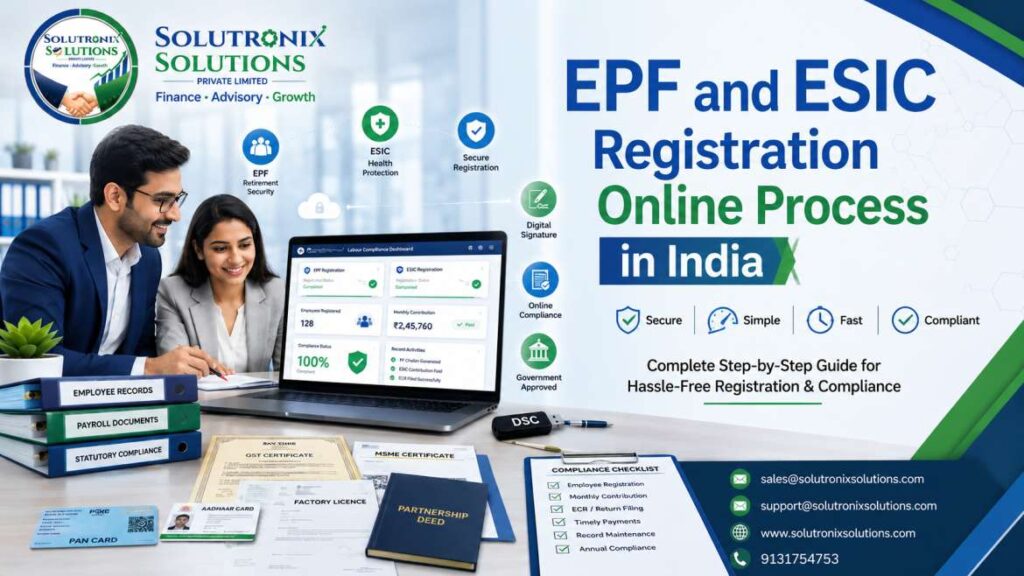
Running a business in India comes with several statutory responsibilities, and EPF (Employees’ Provident Fund) and ESIC (Employees’ State Insurance Corporation) registration are among the most important. These registrations help employers comply with labour laws while providing employees with retirement savings, medical benefits, insurance, and financial security.
The Ministry of Labour & Employment, Government of India, has simplified this process through the Unified Shram Suvidha Portal, allowing employers to apply for both EPF and ESIC registration from a single online platform.
This guide explains the complete EPF and ESIC registration process in simple language.
What is EPF Registration?
EPF registration is mandatory for eligible establishments under the Employees’ Provident Funds and Miscellaneous Provisions Act, 1952. It ensures that employees receive retirement savings, pension benefits, and financial protection during their employment.
What is ESIC Registration?
ESIC registration is governed by the Employees’ State Insurance Act, 1948. It provides employees with medical treatment, maternity benefits, disability compensation, sickness benefits, and dependent benefits.
Benefits of Registering Through the Unified Shram Suvidha Portal
The Unified Shram Suvidha Portal offers a single platform where employers can apply for multiple labour law registrations without visiting different government offices.
Some major benefits include:
- Single online registration process
- Faster approval
- Paperless documentation
- Centralized labour compliance
- Secure online application tracking
- Easy future compliance management
Step-by-Step EPF & ESIC Registration Process
Step 1: Create an Account on the Unified Shram Suvidha Portal
The first step is creating your employer account on the Unified Shram Suvidha Portal. Click Here
Enter your:
- Name
- Email Address
- Mobile Number
After submitting the registration form, the portal sends a verification link to your registered email address. Once verified, create your User ID and Password.
Important: Username and Password are case-sensitive. Save them securely for future use.
Step 2: Login to Your Employer Account
After creating your account, login using the registered credentials.
Your employer dashboard will display various labour law registration services available under the Ministry of Labour & Employment.
Step 3: Select “Register for EPFO-ESIC”
Inside the dashboard:
- Click Register for EPFO-ESIC
- Select Apply for New Registration
This opens the common online registration form for labour compliance.
Step 4: Choose the Applicable Labour Act
The portal displays two Acts:
Employees’ State Insurance Act, 1948
Choose this option if your establishment requires ESIC registration.
Employees’ Provident Fund & Miscellaneous Provisions Act, 1952
Choose this option if your establishment requires EPF registration.
If both Acts apply to your establishment, select both registrations during the application process.
Step 5: Enter Establishment Details
Provide complete information about your business exactly as per official records.
Fill in the following details carefully:
- Establishment Name (As per PAN)
- Business Address
- Nature of Business
- Date of Establishment
- Factory Licence Details (if applicable)
- Startup Registration Number (if available)
- MSME/Udyam Registration Number
- Ownership Type (Proprietorship, Partnership, LLP, Company, Trust etc.)
After completing all details, click Save Draft and proceed to the next section.
Step 6: Enter Authorized Contact Details
The portal asks for communication details of the authorised person responsible for compliance.
Provide:
- Official Email Address
- Mobile Number
These details will be used for OTP verification, approval updates, and future government communication.
Step 7: Enter Owner & Contact Person Details
Next, provide complete details of the business owner or authorised representative.
Information generally includes:
- Primary Owner Name
- Father’s Name
- Designation
- Mobile Number
- Email Address
- Residential Address
If your business has multiple partners or directors, you can add their details as well.
Step 8: Add Business Identifiers
The portal requires at least one business identification document.
Common identifiers include:
- GST Registration
- PAN
- CIN
- MSME Registration
- Factory Licence
- Shop & Establishment Registration
For GST registration, enter:
- GSTIN Number
- Name on GST Certificate
- Date of GST Registration
- Issuing Authority
- Place of Issue
Ensure the information matches the government-issued certificate exactly.
Step 9: Provide Employment Details
This section captures workforce information.
For EPF registration, enter:
- Total Number of Employees
- Employees Eligible under EPF
- Permanent Employees
- Contract Employees
- Employee Salary Details
Provide accurate employee information because it forms the basis of statutory compliance.
Step 10: Add Branch or Division Details
If your company operates from multiple offices, branches, warehouses, factories, or project locations, enter their details separately.
Include:
- Branch Name
- Branch Address
- Number of Employees
- Nature of Work
This helps maintain accurate labour records for each establishment.
Step 11: Select Business Activity
Choose your business category from the dropdown list.
You need to specify:
- Primary Business Activity
- Nature of Work
- Industry Category
- Manufacturing or Service Type
Selecting the correct business activity helps determine labour law applicability.
Step 12: Upload Required Documents
Upload scanned copies of all required documents.
Common documents include:
- PAN Card
- Address Proof
- Business Registration Certificate
- GST Certificate
- MSME Certificate (if applicable)
- Factory Licence (if applicable)
- Partnership Deed / MOA / AOA
- Proof of Establishment Date
- Bank Details
- Digital Signature Certificate (DSC)
Also upload the Specimen Signature of the authorised signatory in the prescribed format available on the portal.
Ensure documents are clear, readable, and within the prescribed file size.
Step 13: Attach Digital Signature Certificate (DSC)
Before final submission, attach the Digital Signature Certificate (DSC) of the authorised signatory.
The DSC authenticates the application electronically and confirms that the information provided is genuine.
Without a valid DSC, the application cannot be submitted successfully.
Step 14: Submit the Registration Application
After verifying all information:
- Review every section carefully.
- Click Submit.
- Complete DSC authentication.
The application is instantly submitted to the concerned department for verification.
Step 15: Receive Registration Confirmation
Once your application is verified:
- A confirmation email is sent to your registered email address.
- EPFO and ESIC login credentials are generated.
- Employer Registration Number is allotted.
- You can now access your employer dashboard to manage compliance, file returns, and generate employee IDs.
Documents Required for EPF & ESIC Registration
- PAN Card
- Aadhaar Card of Owner
- GST Certificate
- Business Registration Certificate
- Address Proof
- Bank Account Details
- Cancelled Cheque
- MSME/Udyam Certificate (if available)
- Factory Licence (if applicable)
- Partnership Deed / LLP Agreement / MOA & AOA
- Employee Details
- Digital Signature Certificate (DSC)
Why Timely EPF & ESIC Registration is Important
Registering your business on time helps you:
- Avoid legal penalties
- Ensure labour law compliance
- Build employee trust
- Improve company credibility
- Become eligible for government benefits
- Participate in government tenders
- Maintain transparent payroll management
Proper compliance also protects your business during labour inspections and audits.
PF & ESI Compliance Made Simple: Your Complete HR Checklist
Provident Fund (PF) is a mandatory retirement savings scheme for employees in India, regulated by the Employees’ Provident Fund Organisation (EPFO). It requires monthly contributions from both employers and employees, aimed at creating a financial cushion for employees post-retirement. PF eligibility generally applies to companies with 20 or more employees, but others can opt to participate voluntarily. Each PF eligible employee receives a Universal Account Number (UAN), making their fund portable across jobs.
Employee State Insurance (ESI) is a government-managed health and social welfare scheme overseen by the Employees’ State Insurance Corporation (ESIC). ESI ensures healthcare coverage for employees and their families through regular contributions. Employees under ESI receive e-Pehchan Cards as identification, granting them access to benefits and services.
Whether you’re an HR manager, business owner, or payroll professional, staying compliant isn’t just about avoiding penalties; it’s about building trust and efficiency. This ready-to-go checklist will streamline all your monthly and annual tasks.
Eligibility & Registration
- PF Compliance: Register with EPFO within 1 month once your workforce reaches 20 employees. Companies with fewer can opt into PF voluntarily.
- ESI Compliance: Register factories and establishments with 10+ employees earning up to ₹21,000/month on ESIC portal.
- Secure Logins: Safely store your EPFO/ESIC credentials.
- Employee Identification: Issue Universal Account Numbers (UAN) for every PF-eligible employee; generate e-Pehchan Cards for all ESI-covered staff.
Documentation Essentials
- Digitize and maintain: PAN, GST, establishment proof, proprietor/director KYC, appointment letters, wage records, and active UAN/ESIC numbers.
- Keep your employee master register and statutory payroll records up to date.
Monthly Workflow: Stay Proactive
- Data Verification: Collect and cross-verify salary, wage, and attendance records.
- Contribution Calculation:
PF: 12% employer + 12% employee (basic salary up to ₹15,000/month).
ESI: 3.25% employer + 0.75% employee (gross salary up to ₹25,000/month).
- Generate and file PF (ECR) and ESIC returns accurately.
- Pay PF and ESI dues before the 15th of every month—never miss a deadline.
Filing & Reporting Deadlines
- PF Annual Returns: Form 3A & 6A required only for some EPFO regions; most rely on UAN/ECR filings.
- ESIC Returns: Form 5 biannually by 11th May and 11th November. Fill and submit Form 01-A by 31st January yearly.
- Organize digital folders for every client to store proofs and returns.
Quality Controls & Audit Readiness
- Validate payroll and contribution data before submission.
- Confirm UANs and ESIC numbers for every new joinee.
- Periodically audit wage components, statutory registers, and compliance trackers.
- Use compliance management software for reminders and record-keeping.
Exception & Notice Handling
- Escalate any late payroll or return submissions by the 5th.
- If payments are missed, file with interest and document the reason.
- Respond swiftly to any regulatory inspection or notice—keep a “compliance defense file” ready for every workplace/client.
Communication & Documentation Protocols
- Request payroll data by the 1st each month; confirm filings by the 15th, sharing challan copies.
- Share a compliance calendar at the start of each financial year.
- Use branded templates and centralized storage for all compliance documents.
Regulatory Updates & Employee Awareness
- Stay updated: read EPFO/ESIC notifications regularly for new rates or rules.
- Conduct employee awareness sessions about PF/ESI benefits, eligibility, and rights.
Penalties for Non-Compliance
- Late PF/ESI Payments: Up to 25% damages, 12% yearly interest (PF), plus risk of prosecution.
- Missed ESIC Deadlines: Delayed claims, benefit loss, possible inspection issues.
- Documentation Gaps: Potential legal and reputational risks.
EPFRegistration #ESICRegistration #PFRegistration #ESIRegistration #EPFO #ESIC #LabourCompliance #Payroll #HRCompliance #BusinessCompliance #EmployerRegistration #ProvidentFund #EmployeeInsurance #MSME #StartupIndia #IndianBusiness #BusinessRegistration #CompanyRegistration #FactoryRegistration #Compliance #LabourLaw #HR #PayrollManagement #DigitalSignature #DSC #EPFGuide #ESICGuide #PFGuide #ESIGuide #GovernmentPortal #UnifiedShramSuvidhaPortal #ShramSuvidha #OnlineRegistration #LegalCompliance #EmployeeBenefits #RetirementBenefits #MedicalInsurance #BusinessGuide #IndiaBusiness #CorporateCompliance #HRServices #Accounting #Finance #TaxCompliance #CompanyLaw #BusinessGrowth #IndustrialCompliance #FactoryAct #EmploymentLaw #IndianStartup #StartupCompliance #HRConsulting #ComplianceServices #PayrollServices #BusinessConsultant #RegistrationServices #EmployerGuide #BusinessSupport #LabourDepartment #EPFOnline #ESICOnline #PFOnline #ESIOnline #ComplianceGuide #BusinessOwner #Entrepreneur #Manufacturing #IndustrialBusiness #SME #SmallBusiness #PrivateLimited #LLP #PartnershipFirm #Proprietorship #GSTRegistration #UdyamRegistration #FactoryLicense #CompanySetup #LegalServices #EmployeeWelfare #SocialSecurity #WorkplaceCompliance #ProfessionalServices #IndiaCompliance #BusinessSolutions #CorporateServices #StatutoryCompliance #EmploymentBenefits #ComplianceManagement #BusinessDocumentation #EPFEmployer #ESICEmployer #EmployerServices #GovernmentRegistration #BusinessLaw #HRManagement #ComplianceExpert #India #SwasticSolutions
EPF Registration, ESIC Registration, PF Registration, ESI Registration, EPF ESIC Registration, Online EPF Registration, Online ESIC Registration, PF Registration Online, ESI Registration Online, Unified Shram Suvidha Portal, EPFO Registration, ESIC Employer Registration, Labour Compliance India, PF Registration Process, ESI Registration Process, EPF Online Apply, ESIC Online Apply, Employer Registration India, Provident Fund Registration, Employee State Insurance Registration, EPFO Employer Portal, ESIC Employer Portal, PF Registration Documents, ESI Registration Documents, EPF Eligibility, ESIC Eligibility, EPF Registration India, ESIC Registration India, Government Labour Registration, Business Compliance India, Company Registration Compliance, Factory Registration India, MSME PF Registration, Startup EPF Registration, Startup ESIC Registration, EPF Registration Guide, ESIC Registration Guide, Labour Law Compliance, Payroll Compliance, HR Compliance India, Employer Compliance, Digital Signature Certificate, DSC for EPF, DSC for ESIC, EPFO Login, ESIC Login, Employer Code Number, EPFO Employer Code, ESIC Employer Code, EPF Registration Certificate, ESIC Registration Certificate, Online Labour Registration, PF Return Filing, ESI Return Filing, Employee Benefits India, Social Security Registration, Provident Fund Employer, Employee Insurance India, Business Registration India, HR Statutory Compliance, Factory Labour Compliance, EPF Registration 2026, ESIC Registration 2026, EPF Step by Step Guide, ESIC Step by Step Guide, PF Contribution, ESI Contribution, EPF Employer Registration, ESIC Employer Registration Process, Register PF Online, Register ESI Online, Apply for EPF, Apply for ESIC, Employee Provident Fund, Employee State Insurance, EPFO Portal Registration, ESIC Portal Registration, Business Labour Laws, Company PF Registration, Company ESIC Registration, Factory EPF Registration, Factory ESIC Registration, Shop Establishment Registration, MSME Compliance, Business Compliance Guide, Indian Labour Laws, Payroll Management India, EPF Compliance, ESIC Compliance, Government Compliance, Employer Registration Portal, EPF Benefits, ESIC Benefits, EPF Documents List, ESIC Documents List, Business Registration Guide, Labour Law Registration, HR Legal Compliance, Online Employer Registration, EPF and ESIC Guide, Register Company for EPF, Register Company for ESIC
